
Image Toolkit
Image Tools
A focused set of image tools for cropping, resizing, compression, format conversion, background removal, and product photos — making image processing simpler and more efficient.

Recommended
Recommended Workflows
One-click to complete complex tasks, saving multi-step manual work.
Product Photo Maker
Remove background, add white background, auto-square padding, and compress to export product photos.

Website Image Optimizer
Resize, convert to WebP, and compress images to make websites load faster.

Transparent PNG Optimizer
Remove background, trim empty transparent margins, resize, and compress PNG files.

App Store & Google Play Screenshots
Add headlines, gradients, and phone frames to your app screens, or batch resize screenshots, icons, and store graphics.

Browse by task
Common Image Tools
Quick single-step tools for everyday image edits.
Background Remover
Remove image backgrounds in one click and export transparent PNGs.

Crop Image
newChoose the exact area to keep with common ratios, rotation, flipping, and precise pixels.
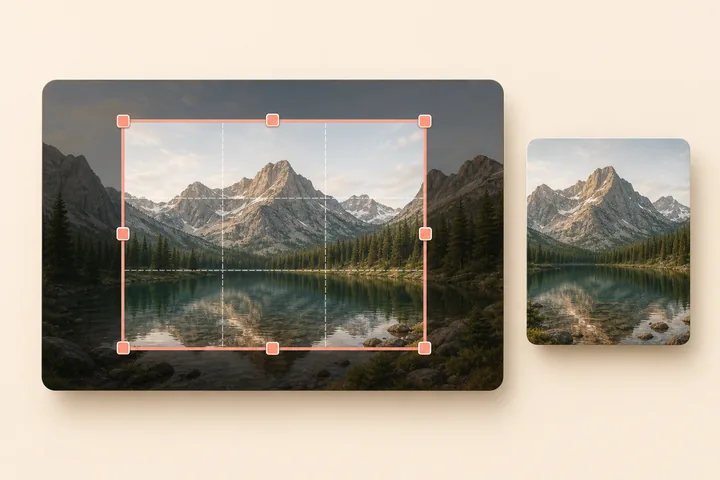
Image Resizer
Resize image dimensions with ratio-locking and common presets.

Image Compressor
Reduce file sizes while maintaining image quality.


Why Choose Easton Image Tools?
Privacy & Security
Most processing is done locally in your browser. Images are never uploaded to our servers, protecting your privacy.
Fast & Efficient
Lightweight tools that open fast and finish edits in seconds.
No Installation
All tools are web-based. Open them instantly in any browser with cross-platform support.
Free to Start
No account or subscription required—just open a tool and start editing.
